Create
Generate images
Build the images that define your characters, locations, and visual direction.
Prompt
Enter what you want to generate in the Prompt field. Describe who or what is in the image, what they are doing, and where they are.
- Name the details that matter: hairstyle, clothing, props, and framing. Specific details give the model clearer direction than words like ‘amazing’ or ‘perfect’.
- Keep the instructions focused and compatible. Start with one clear image, then change one detail at a time.
Wide shot of the San Francisco Ferry Building clock tower and plaza at golden hour, with the Bay Bridge stretching across the bay in the background, a streetcar passing along the Embarcadero tracks, and a few pedestrians walking past palm trees and outdoor benches.An amazing, ultra-detailed photo of San Francisco looking super cinematic and epic.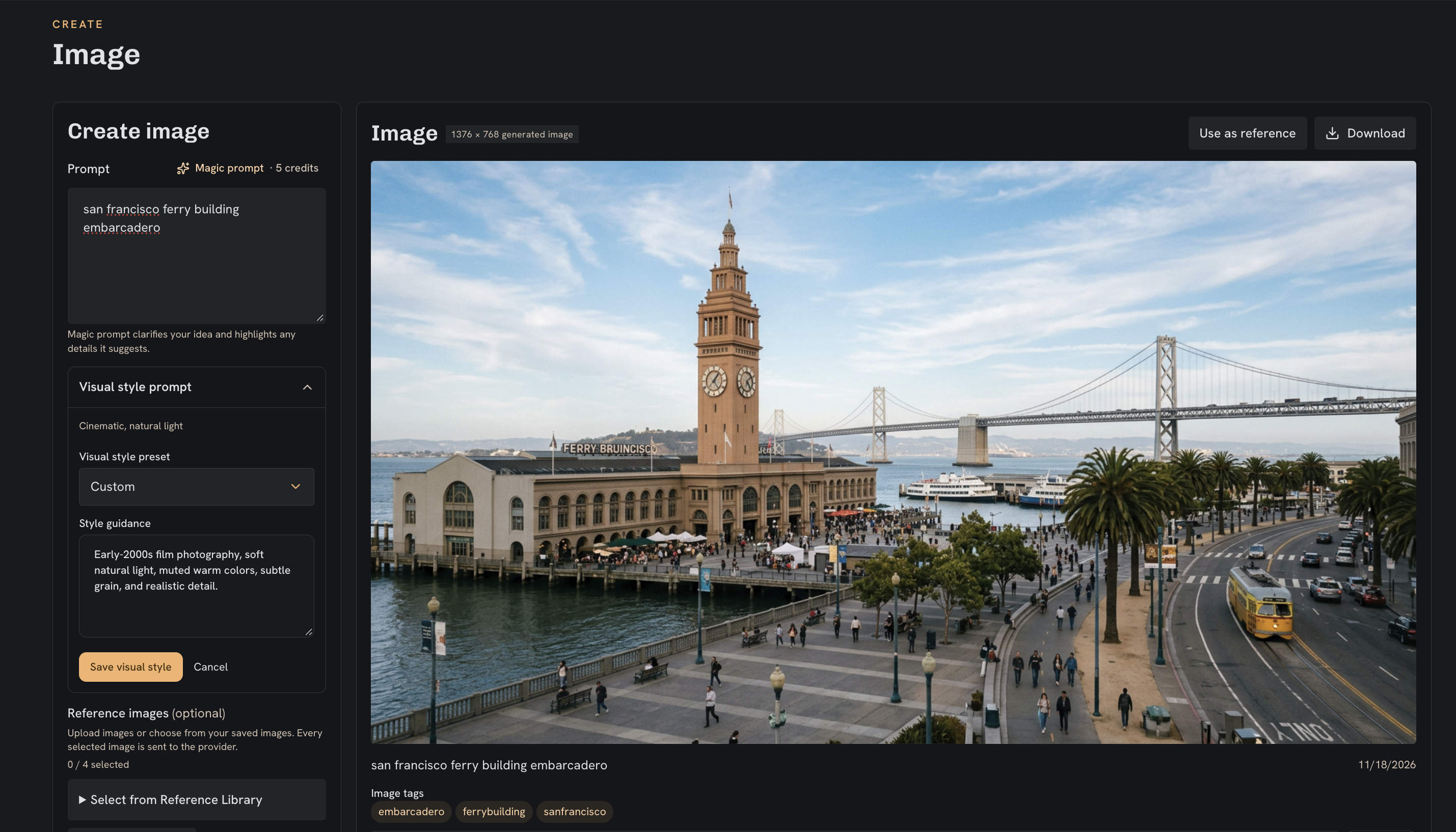
Visual style prompt
The visual style prompt accompanies your main prompt and sets the vibe of your image generation: lighting, colors, texture, and overall look. Use the main prompt for what is in the image, and the visual style prompt for how it looks.
Early-2000s film photography, soft natural light, muted warm colors, subtle grain, and realistic detail.Reference images
Choose images from your Reference Library or upload your own. Use them to guide a character’s appearance, a location, or details you want to carry into the new image.
You can use up to 4 reference images in total. The interface shows the active limit for your selected model and output settings; a style reference image uses one of those slots.
Add tags to your images, such as a character’s name, a location, or a project name. Search or filter by those tags in the Reference Library to find them easily later.
Learn more about the Reference LibraryImage model
Choose the model that generates your image. Automatic uses TakeZero’s configured default; you can also select Meta Muse Image, Nano Banana, Nano Banana 2, or Seedream 5.0 Flash.
Different models can interpret the same prompt differently. To compare results, keep your prompt and references the same when switching models, then choose the aspect ratio and resolution available for that model.