Understand
Usage & credits
Know what is available, what is pending, and what a retry means before you generate.
Check your balance
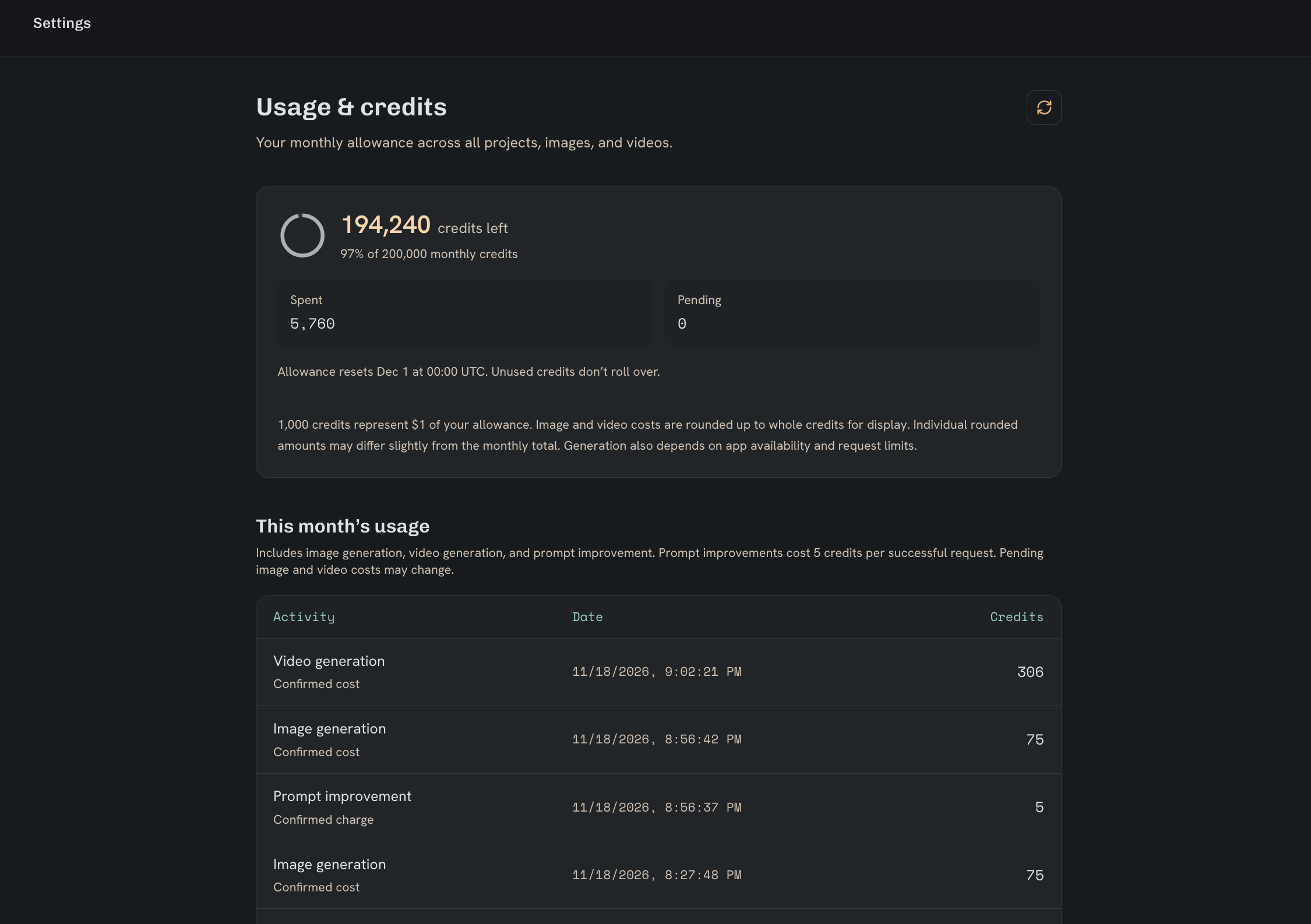
Use the credit indicator in the sidebar to inspect your allowance and usage. Open Settings from your account menu for more detail.
The displayed allowance and model settings are the source of truth. Beta limits can change, and available credits do not override separate request or service limits.
When do my credits expire?
Each one-time pack expires one year after purchase. Each month of subscription credits expires one year after that paid billing period starts. Renewing or canceling your plan leaves those dates in place. Promo credits expire one year after redemption unless the offer has its own lifetime.
TakeZero uses credits with the earliest expiration date first. In Settings under Usage & credits, you can see how many available credits expire next and the date and time in UTC.
Check my credit balanceGeneration cost guide
Choose a credit pack to estimate how many images or videos it can cover. Each row assumes you use the whole pack for that generation type.
| Generation | Up to (credits each) | Est. quantity |
|---|---|---|
| 1 image1K | 11 | 45 |
| 5-second video768p | 12 | 41 |
| 10-second video768p | 24 | 20 |
Understand pending usage
A request can reserve estimated usage before its final cost is known. Pending is not the same as free, and the display can change when processing or accounting completes.
Different features can use different credit rules. Prompt improvement also consumes credits; review the price shown in the app.
Failed requests and retries
A failed result may still have incurred provider costs. When available, check the generation’s details for the provider-reported cost and saved error.
A retry creates another request and can use additional credits. Check whether the original request is still active before submitting again.
When a limit blocks a request
Check active generations, available credits, and the message shown by the app. User and application limits can apply separately.
If the displayed balance seems wrong, keep the generation identifier and error details so the affected request can be investigated.
Troubleshooting guide